
 Terra Echo Labs
FISSURE
Stem Splitter
Split any track into clean stems — vocals, drums, bass, and more. 100% offline, no subscription.
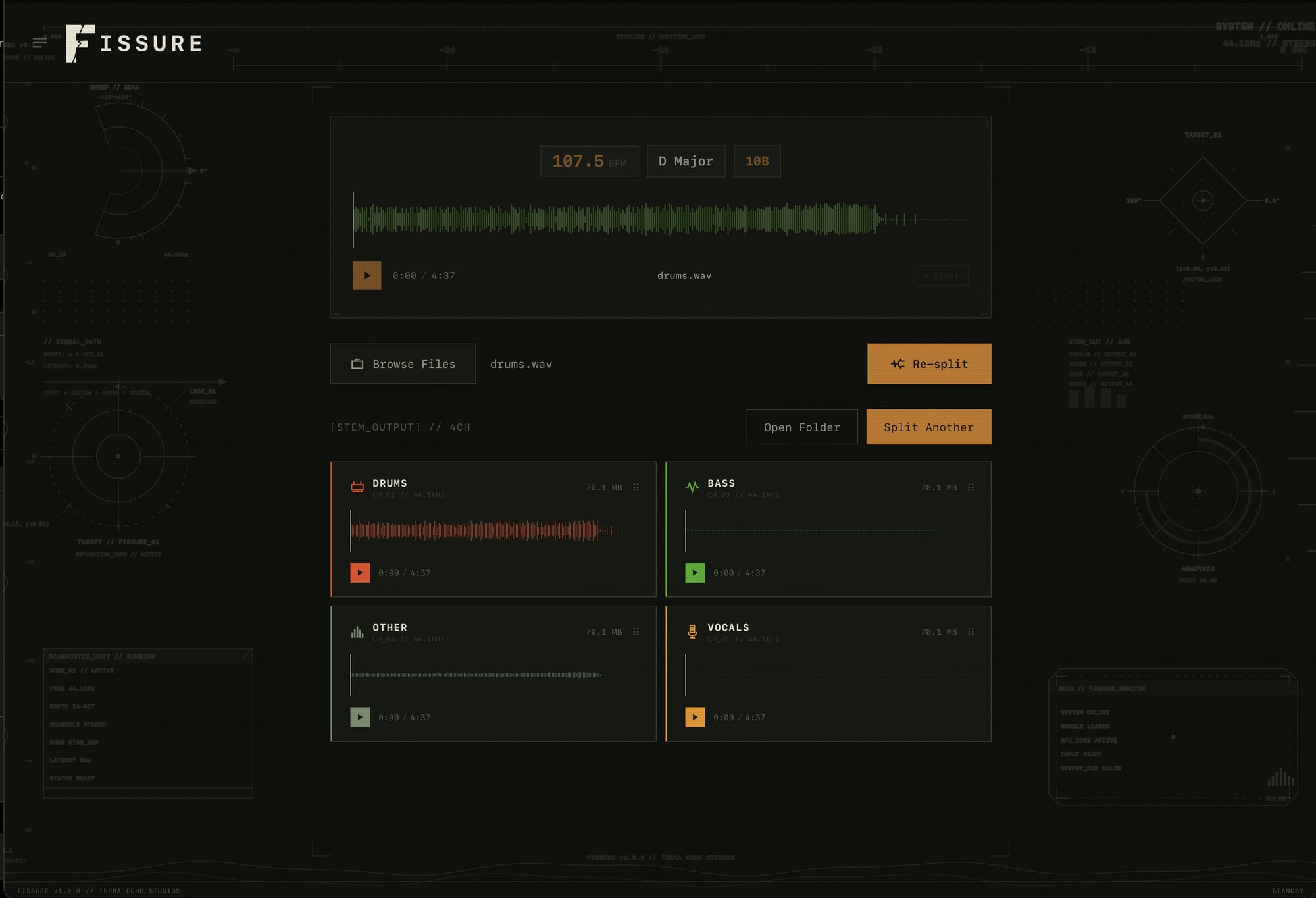
FISSURE is an AI-powered stem splitter for your computer. Drop in any track and separate it into clean, usable stems in seconds — perfect for remixing, sampling, practicing, karaoke, or pulling a part out of a reference.
Everything runs locally on your computer. There is no upload, no account, and no subscription — your audio never leaves your computer, and the tool keeps working whether you are online or not.
A look inside
Three ways to split
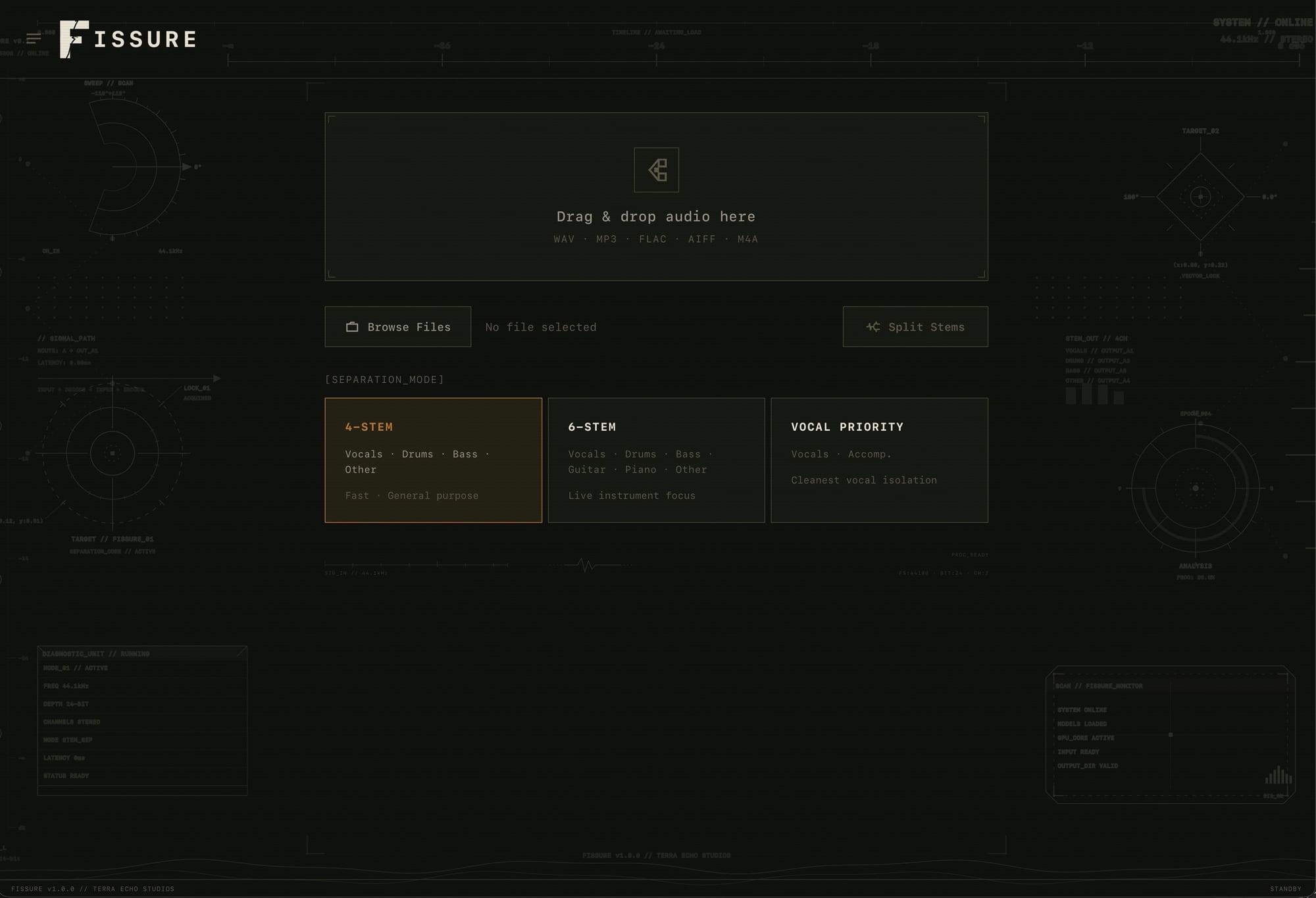
4-Stem
Vocals · Drums · Bass · Other
6-Stem
Adds Guitar and Piano for finer control
Vocal Priority
Cleanest possible vocal isolation
Built for your workflow
100% offline
All processing happens locally on your computer — no uploads, no servers, no account. Your audio stays yours.
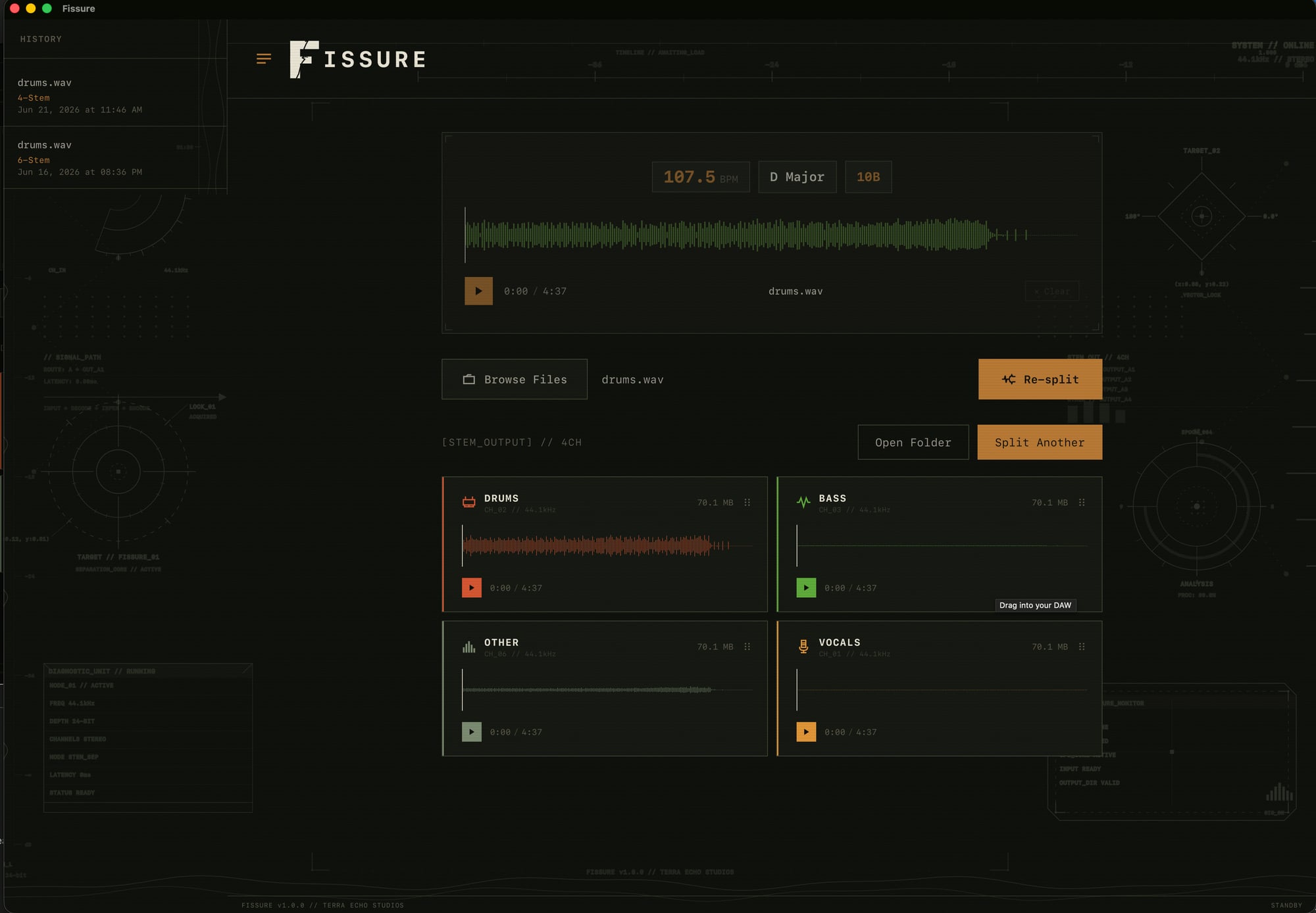
Drag straight to your DAW
Split, then drag the stems directly into Logic, Ableton, Pro Tools, or wherever you work.
Auto BPM, key & bars
FISSURE detects tempo, musical key, and bar count automatically — ready to drop into a session.
Separation history
Revisit past sessions and grab stems again without re-processing.
How it works
Drop in a track
Drag any audio file into FISSURE — no import dialogs, no setup.
Pick a mode
Choose 4-stem, 6-stem, or vocal-priority depending on what you need.
Split & drag out
FISSURE separates the track on-device, then you drag the stems straight into your DAW.
Frequently asked
How much does FISSURE cost?
FISSURE is free — it is offered as "pay what you want" on Gumroad, so you can download it for free or chip in whatever you feel it is worth.
Does FISSURE work offline?
Yes. All processing happens locally on your Mac using an on-device AI model. Nothing is uploaded, and no internet connection is required after download.
Which Macs are supported?
FISSURE is a universal app that runs natively on both Apple Silicon (M-series) and Intel Macs.
What stems can it separate?
Choose 4-stem (vocals, drums, bass, other), 6-stem (adds guitar and piano), or a vocal-priority mode for the cleanest vocal isolation.
Is there a subscription?
No. Download it once and use it — no monthly fees and no per-track credits.
Try FISSURE
Free to download — pay what you want. Runs entirely on your computer.
macOS — Apple Silicon & Intel
Get FISSUREBy downloading, you agree to FISSURE's EULA and Privacy Policy.